You’ll adjust your trailer brake controller’s gain, delay, and manual controls to match your specific load and towing conditions. Start by locating your vehicle’s brake controller—typically beneath the driver’s dashboard or on the center console. Connect your trailer’s wiring harness, then conduct low-speed test runs in a traffic-free area at 20-25 mph. Adjust gain incrementally based on your trailer’s gross vehicle weight rating, preventing wheel lockup while ensuring synchronized braking. Understanding these core adjustments reveals the complete calibration process ahead.
Locate Your Brake Controller by Vehicle Make
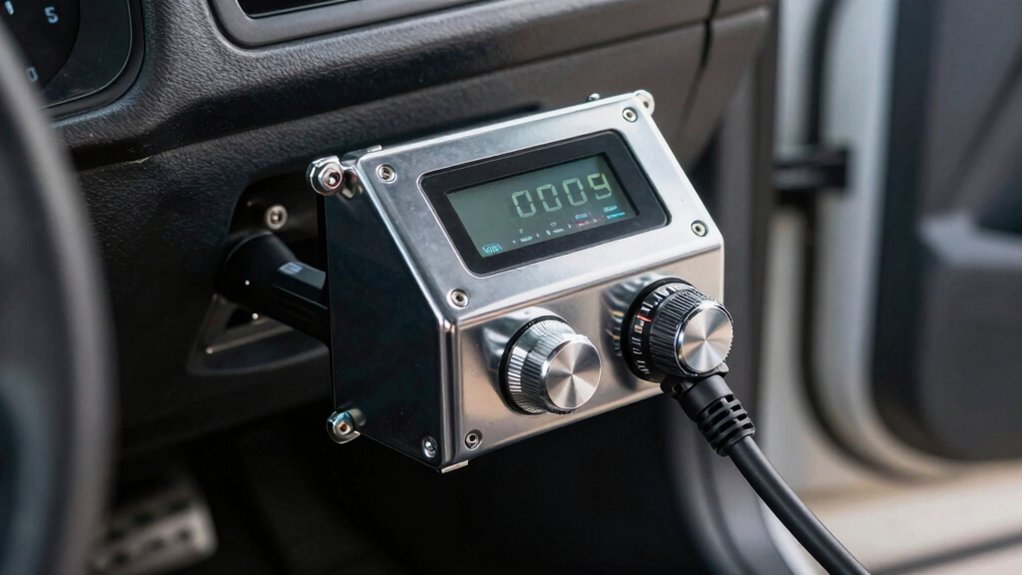
Your trailer brake controller’s location varies by vehicle make, but you’ll typically find the wiring harness beneath the dashboard near the driver’s side, where it’s either taped up or tucked for protection.
For Ford vehicles, the trailer brake controller switch mounts on the center console for easy access. You’ll operate the manual control lever to send power to your trailer brakes, using plus and minus buttons to adjust power output.
Toyota models position their controllers differently. Your 2021 Sequoia, 2013 Highlander, or 2023 Tundra features a 7-pin connector system. When reviewing factory wiring, consult your vehicle manual to determine if a pre-wired harness exists. Some Toyota 4Runners and other models may require aftermarket solutions if they lack factory harnesses. For proper installation, ensure the blue wire output runs from the controller through the firewall to the trailer’s connector pin.
Trailer brake component positioning varies, so verify your specific make’s configuration before proceeding with adjustments or installation. Proper brake controller adjustment ensures the trailer brakes in sync with the towing vehicle for smoother and safer stops. Remember that secure electrical connections between the controller and trailer connector are essential for reliable brake operation across different towing scenarios.
Connect Your Trailer and Enter Tow/Haul Mode
Now that you’ve located your brake controller, it’s time to physically connect your trailer and prepare your vehicle for towing. Park both vehicles on a level surface in a safe, traffic-free area with ample stopping distance. Connect the trailer wiring harness to your vehicle’s 7-pin connector, ensuring the brake controller receives both vehicle power and trailer brake connections. Verify trailer wiring connection by checking the display for brake level confirmation. Allow the brake controller to self-calibrate, which is indicated by a light or signal on the display. Use a circuit tester to confirm proper power supply and activation signals are reaching the brake controller from your vehicle’s wiring.
Next, activate tow mode settings through your vehicle’s dashboard menu. Tow/Haul mode widens transmission shift points to reduce gear hunting and enables automatic downshifting on inclines. This feature provides engine braking support during descents with loaded trailers, enhancing stability and control. Proper adjustment of your controller’s gain and sensitivity settings ensures smooth and proportional braking force application between your vehicle and trailer. For trailers equipped with electric brakes, verify the seven-pin connector includes dedicated brake lines to ensure proper brake signal transmission. Access this setting in your truck’s settings menu or dashboard controls to optimize your towing experience.
What Your Brake Controller’s Gain, Delay, and Manual Controls Do
Gain controls voltage output from 0.0 to 10.0, adjusting braking force based on load weight. Too low causes trailer push; too high creates lockup or pulling.
Delay determines engagement speed after you press the brake pedal, affecting stop smoothness in non-proportional systems. You’ll adjust this separately from gain on most controllers.
Boost sets the power delivery rate to your trailer brakes, controlling ramp-up speed to your gain setting. Higher boost delivers quicker braking response, while lower settings provide gradual power application. Proportional controllers use internal accelerometers to detect deceleration and automatically apply matching braking force for superior safety. The electromagnet inside each brake drum is energized by the voltage from these settings to create the actual stopping force.
Manual controls let you apply trailer brakes independently, testing function or managing sway without vehicle braking. You can achieve the correct gain setting by driving at approximately 20 mph on a flat road and adjusting until the trailer brakes engage just before the truck’s brakes lock.
Choose Initial Gain Based on Trailer Load
Setting the right gain value starts with understanding what your trailer weighs, since the controller’s voltage output directly correlates to your load’s braking requirements. You’ll manually adjust gain based on your trailer’s GVWR (Gross Vehicle Weight Rating) and current load configuration. Heavier loads demand increased gain settings to generate sufficient braking force, while lighter loads require reduced settings to prevent brake lockup.
To determine ideal gain, start with the manufacturer’s recommended baseline or calculate using GVWR divided by 1000. This initial value serves as your starting point before on-road testing. You’ll then conduct test runs at approximately 25 mph in an open area, observing whether your trailer pushes forward or pulls backward during braking. Adjust incrementally based on these results until you achieve synchronized braking between your vehicle and trailer. Proportional controllers work by sensing deceleration and automatically adjusting brake pressure to match your towing vehicle’s braking demands. Electric brake controllers offer faster response times that make these fine-tuning adjustments more noticeable during testing. Proportional controllers provide superior smoothness and safety compared to time-delayed models, especially when fine-tuning both gain and boost settings to ensure coordinated braking performance across different load conditions and driving scenarios.
Test Your Brake Controller at Low Speed
Before you take your trailer on the road, you’ll need to verify that your brake controller responds correctly at low speeds in a controlled environment. Find a traffic-free parking lot or quiet road with a dry, level surface.
Drive at 20-25 mph and squeeze the manual control lever completely. Apply your vehicle’s brakes lightly while observing the trailer’s response. Listen for brake pad contact noise during manual override verification to confirm engagement. Watch for consistent brake engagement without wheel lockup or excessive sliding.
After adjusting gain settings, perform a rolling test to evaluate the feel. The brakes should provide smooth stopping without jumpy or sharp pulling sensations. Monitor output voltage on the controller pigtail—you’ll see 4.6-12VDC during activation. Proportional controllers apply braking force by matching your tow vehicle’s deceleration through accelerometers for optimal safety. Adjust the gain setting to match your specific towing conditions and prevent trailer wheel lockup. These low-speed checks establish your baseline before highway testing. Most states require brakes for trailers weighing 3,000 pounds or more, so verify your trailer’s gross vehicle weight rating complies with local regulations. Ensure your hitch-mounted cargo carrier is properly secured and does not shift during braking tests, as movement could affect your brake controller’s performance measurements.
Diagnose and Fix Tire Lockup During Fine-Tuning
Tire lockup during fine-tuning typically stems from five distinct causes: improper brake adjustment, excessive controller gain, electrical wiring faults, breakaway system malfunction, or mechanical component failures.
Start by checking your proper brake adjuster alignment on each axle. Uneven rod heights cause single wheels to lock while others release normally. Reduce your controller gain incrementally—maximum settings like 3.0 trigger aggressive lockup even during light stops. Controllers with digital readout displays can help you monitor voltage levels and identify errors more effectively during adjustment.
Inspect your electrical connections thoroughly. Broken wires, loose 7-pin umbilical connections, or faulty junction box wiring create intermittent lockup patterns. Test your breakaway circuit’s black wire for inappropriate voltage discharge. For modern towing applications, Bluetooth connectivity in contemporary brake controllers enables remote monitoring and adjustment capabilities. An overheated braking system can cause the brake components to remain engaged longer than intended, resulting in persistent lockup issues.
Finally, examine identifying stuck brake components like magnets or corroded parts. Overheated systems from wear demand immediate inspection. For vehicles without integrated controllers, wireless brake control solutions offer an alternative approach to managing trailer braking performance without traditional wiring modifications. Address these systematically to eliminate lockup during adjustment procedures.
Diagnose and Fix Weak Braking During Fine-Tuning
When your trailer’s braking response feels sluggish during fine-tuning, you’re likely dealing with insufficient gain settings, weak electrical connections, or poor ground placement on the trailer frame. Start by testing at 25 mph to identify consistent weak performance across multiple speeds. Inspect your 7-way plug for corrosion and guarantee the ground wire’s tight on the trailer frame. Use a multimeter to verify voltage and continuity at each pin of your connector to ensure all electrical circuits are functioning properly. Incrementally increase gain from 3.0-5.0 during test runs, adjusting based on your load weight. Raise sensitivity if stops occur too slowly, then test boost levels B1 to B3 for quicker initial braking force. Fine-tune until you achieve proportional braking feel without push-pull effects. Understanding how brake controllers synchronize your vehicle’s braking with trailer braking is essential for proper adjustment and safe towing performance. The dash-mounted knob design eliminates the need for bulky boxes while allowing manual brake adjustment by twisting or pushing for emergency situations. As emphasized in industry guidance, avoiding adjustment for load changes can result in uneven brake wear and compromised safety during towing. Apply dielectric grease to connections for moisture prevention.
Achieve Your Final Gain Setting
Once you’ve identified and corrected weak braking issues, you’re ready to establish your final gain setting by following a systematic approach grounded in your trailer’s specifications and current load. Achieve boost settings like B0 to B3 that provide appropriate initial braking aggressiveness for your configuration. Test at 20-25 mph on flat, empty roads, applying firm brake pressure while monitoring stop distance and wheel response. Validate braking performance by confirming your trailer engages fractionally before your truck’s brakes without locking. Make incremental adjustments—moving from setting 5 to 6 or 7—and retest after each change. Reading the owner’s manual and watching instructional videos will help you understand brake control features like gain, boost, and manual override that impact your final settings. Your final gain setting balances smooth, controlled stops with ideal trailer contribution, ensuring consistent response across varying speeds and conditions.
Recalibrate Your Brake Controller for New Loads or Conditions
Your carefully calibrated gain setting won’t remain perfect forever. You’ll need to recalibrate whenever you encounter significant changes to your setup or operating environment.
Varying trailer weights demand immediate adjustment. When you switch trailers or substantially alter your cargo load, you must recalibrate your controller to prevent wheel lockup or insufficient braking force. Similarly, seasonal weather conditions require recalibration—rain, snow, and icy roads necessitate different gain settings for ideal performance.
Start by conducting test braking at 20–25 mph on smooth, sealed roads. Apply firm braking for 10-second bursts during initial calibration. Observe whether your tow vehicle and trailer decelerate together smoothly. Proportional brake controllers provide the smoothest stops by matching trailer braking force to vehicle deceleration.
Make small adjustments in 0.5 increments. If your trailer pushes during forward braking, increase gain. If wheels lock up, decrease it. Always verify your 7-pin connector security and brake wire integrity before assuming calibration failure.
Recognize When Settings Above 9 Mean Brake Service Is Due
Settings consistently above 9 on your brake controller signal that professional service is due. This threshold indicates brake degradation detection is necessary because your system can’t achieve adequate stopping power at normal levels.
When you’re operating at 10 or 11 gain, your worn magnets or misaligned brakes demand maximum output for minimal response. You’ll notice your trailer pushing against the tow vehicle during stops—a clear sign effectiveness has diminished.
Test your brakes at 20-25 mph. If slow stops require gain above 9, schedule immediate service. The 0.5 increment adjustments allow for precise calibration during diagnostics to identify exactly where your braking performance has degraded. Don’t compensate by relying on manual boost functions; this masks underlying hardware faults.
Your maintenance schedule recommendations should include professional inspection whenever you consistently exceed gain 9, regardless of load conditions or weather variables.